For recruitment agencies
From mandate signed to candidate placed
Run retained search, requisitions, client acquisition and candidate placement together — with interview calendars and hiring forecasts built in.
- 4 recruitment pipelines
- Interview calendar
- Placement progress
- Hiring forecast
Challenges
What teams like yours struggle with
CVs nobody can find
Document search parses and indexes every CV so you can search skills, not filenames.
Disconnected workflows
Retained search, requisitions, client acquisition and candidate progress rarely share one operational view.
Forecasts in spreadsheets
Mandate value, weighted forecast and confirmed placements drift away from day-to-day candidate activity.
The story
From first touch to repeat revenue
Each step of the journey maps to the modules that run it — nothing bolted on, nothing to integrate.
Step 1
Open and track the mandate
Run Retained Search, Job Order / Requisition and Client Acquisition pipelines with stage counts, mandate value and clear ownership.
Modules
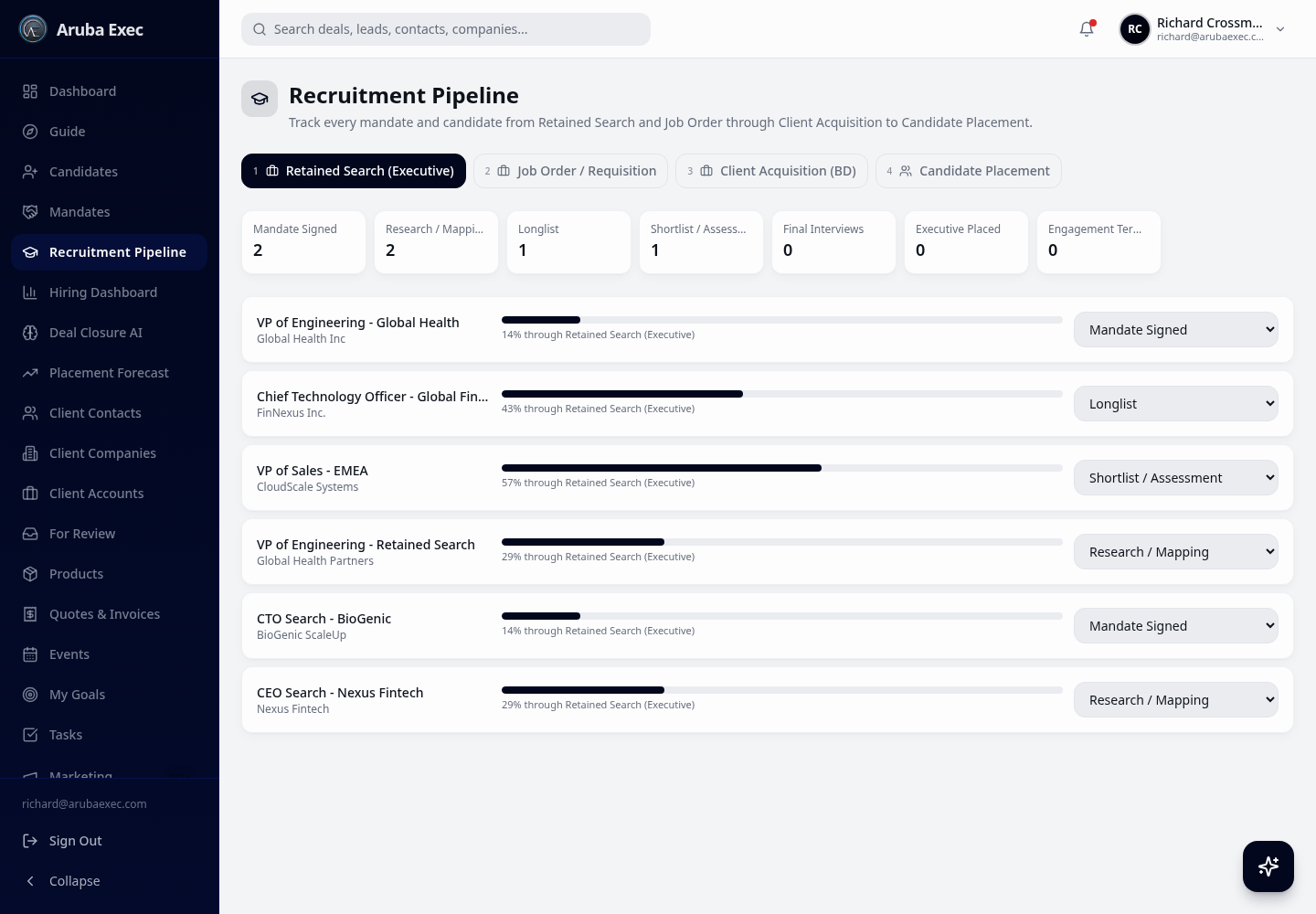
Four connected pipelines make the whole recruitment journey visible. Step 2
Move candidates through placement
Candidate records progress from Applied / Identified through screening, submission, client interviews, offer and placement with a status dropdown and progress bar.
Modules
Step 3
Coordinate every interaction
Log candidate screenings, candidate and client interviews, offer discussions, reference checks and placement follow-ups with status, date and notes.
Modules
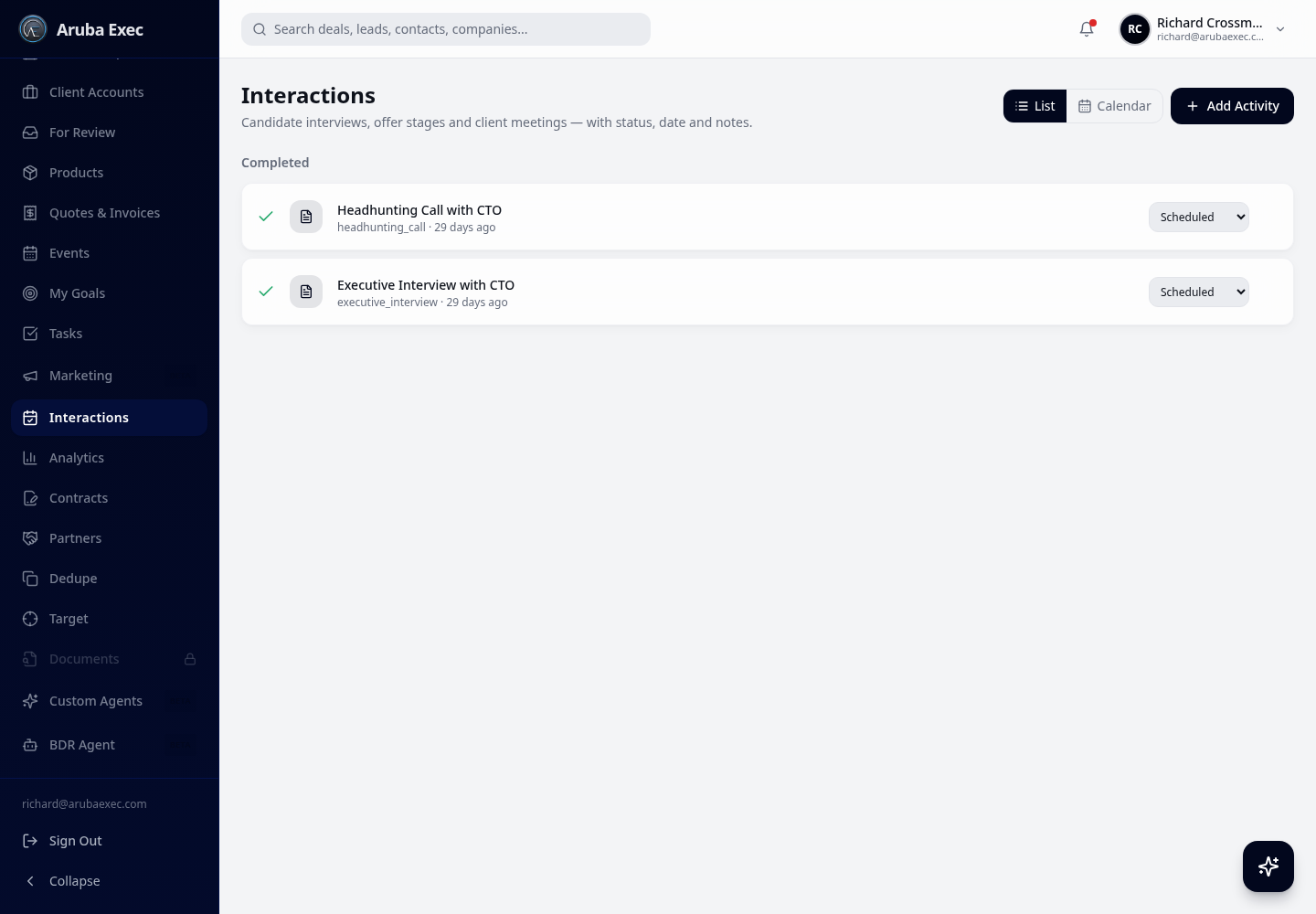
Recruitment-specific activity types replace generic notes and disconnected calendars. Step 4
Interview to offer
The shared calendar shows scheduled interviews and client meetings while stage controls keep candidate progress current.
Modules
Step 5
Forecast placements
The Hiring Dashboard shows open mandates, active candidates, confirmed placements, weighted forecast and stage-level value.
Modules
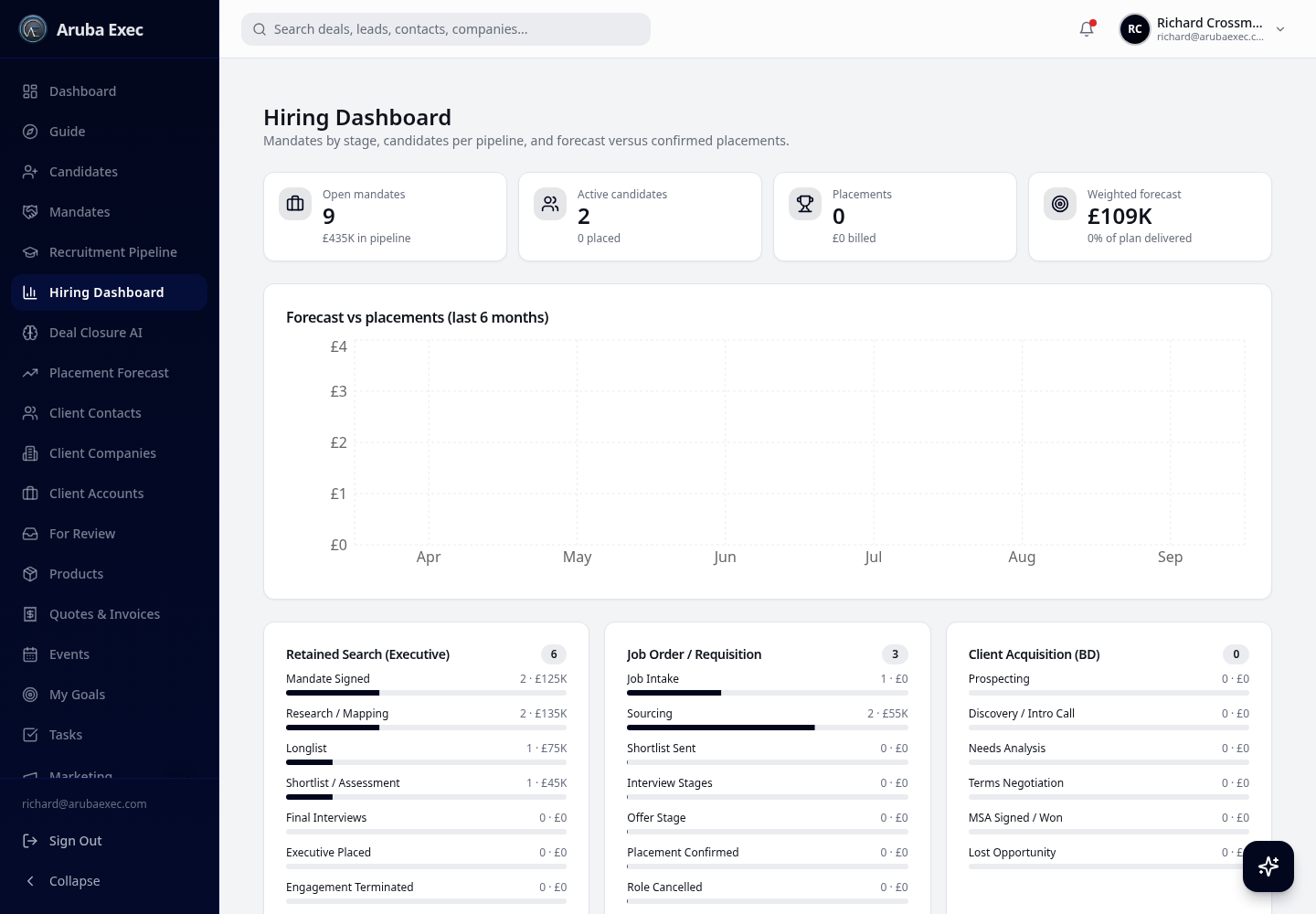
Forecast and placement performance stay connected to live pipeline data.
How DealDrive helps
Built around your workflow
Mandate pipelines
Retained Search, Job Order / Requisition and Client Acquisition with purpose-built stages.
Candidate placement
Eight stages from Applied / Identified through Placed, with live progress and counters.
CV document search
Semantic search across every uploaded CV with per-record access control.
AI shortlisting
Rank candidates against a brief and draft client submission notes.
Terms & contracts
Generate client terms and offer paperwork with e-signature.
Hiring dashboard
Mandate value, weighted forecast, active candidates and forecast versus confirmed placements.
FAQ
Common questions
Yes. A one-click preset applies candidate and mandate terminology plus Retained Search, Job Order / Requisition, Client Acquisition and Candidate Placement pipelines.
See DealDrive on your own data
Start free, import your records, and have the AI Configurator set the rest up for you.