Service Desk
Support that already knows the customer
Ticketing, SLAs and an AI agent grounded in your knowledge base — running on the same records as your pipeline, so support and revenue finally share one view.
- Email & social tickets
- SLA tracking
- AI autopilot
- Branded portal
1 line
Widget install script
6
Portal themes
4
Social channels
24/7
AI first response
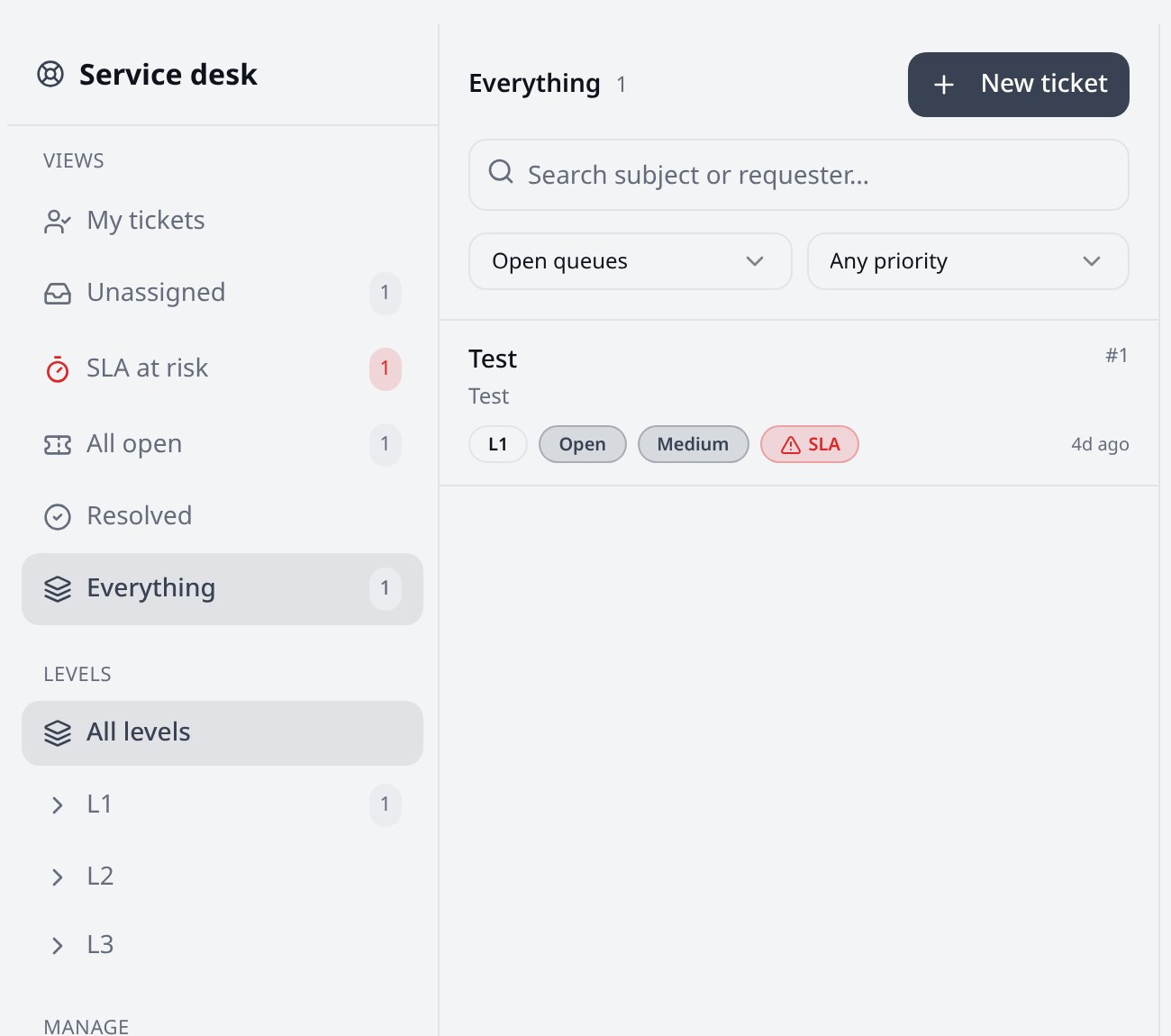
Inbox
One queue for every channel
Email, web widget, WhatsApp, Facebook, Instagram and Telegram all land in the same inbox with priorities, SLAs and assignment rules.
- Email-to-ticket with threading and attachments
- Skill-based and round-robin assignment across tiers
- Macros, internal notes and collision detection
- Auto-close and reopen rules with SLA breach alerts
AI
An agent that drafts, and a human who decides
The support bot answers from your indexed knowledge base and resolved tickets. Agents thumbs-up or thumbs-down each draft, and those lessons personalise future replies for your tenant.
- Grounded answers with source citations
- Confidence thresholds, approval queue and kill switch
- Per-tenant learning from agent feedback
- Credit-metered so cost never runs away
Portal
A help center that looks like your brand
Pick a theme and layout, publish your help center, and drop one script tag on your website to embed the support widget.
- Six theme presets and four layout styles
- Magic-link customer sign-in with ticket history
- Public articles with search and categories
- Copy-paste embed snippet with setup instructions
Capabilities
Helpdesk features, CRM context
Shared ticket inbox
Email-to-ticket capture, queues, priorities, macros and internal notes inside the CRM your revenue team already uses.
SLA policies
First-response and resolution targets per priority, with breach tracking, escalation and auto-close rules.
Queues & skill routing
Tiered agent roles with skill-based assignment, round-robin distribution and workload-aware routing.
AI autopilot & drafts
AI drafts or sends grounded replies from your knowledge base, with confidence thresholds, a kill switch and a human approval queue.
Knowledge base
Import PDFs, Word docs and Markdown. Articles are chunked and vector-indexed automatically for grounded answers.
Branded help center
A hosted customer portal with magic-link sign-in, ticket history and attachments — on your own theme.
Themes & layouts
Six theme presets and four layout styles, plus a one-line script tag to embed the support widget on your site.
Social ticketing
WhatsApp, Facebook, Instagram and Telegram conversations become tickets in the same queue as email.
360° account view
Support cases surface on the Account record, so revenue teams see risk before renewal conversations.
Platform
Open by default
Public API
Tickets and knowledge base articles are first-class REST resources with tickets:read/write and kb_articles:read/write scopes.
Webhooks
Subscribe to ticket.created, ticket.updated, ticket.status_changed, ticket.resolved and ticket.replied.
Workflow automations
Tickets are a workflow module — trigger field updates, tasks, emails and webhooks on ticket events.
MCP tools
Claude and other MCP clients can list, create, update and reply to tickets, and search your knowledge base.
FAQ
Service Desk questions
Copy the generated script tag from Settings → Service Desk → Portal Design and paste it before the closing body tag. The widget picks up your theme, layout and help center automatically — no build step required.
Turn support into a revenue signal
Every ticket, SLA and CSAT score sits next to the deal it affects.